Best VPN for Remote Workers 2026: 8 Tools Tested by a Small Business Owner
If you're managing a remote team without a VPN in 2026, you're basically leaving the front door unlocked and hoping for the best. I've been running a distributed team of 11 people across four countries for the past three years, and finding the best VPN for remote workers has been one of those unglamorous but genuinely important tasks on my never-ending to-do list.
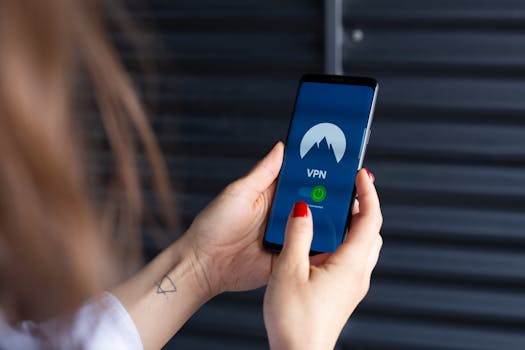 Photo by Stefan Coders on Pexels
Here's the reality: most VPN guides are written by people who've never actually had to walk a non-technical employee through setting up a VPN, or explain to a freelancer why they need one before accessing your company's project management tools. I have. Multiple times. So this review is built around what actually matters when your team is working from coffee shops, coworking spaces, and home offices scattered across the globe.
Whether you're a solo freelancer protecting sensitive client data or a team lead trying to keep a dozen remote employees secure, this guide covers the best VPN options for 2026 — with honest takes on pricing, usability, and the practical stuff that doesn't always make it into the marketing materials.
What to Look for in a VPN for Remote Workers
Before jumping into the picks, let's talk about what truly matters. Speed obviously plays a role — nobody wants a VPN that makes video calls stutter. But for remote workers specifically, a few other things matter just as much:
- Simultaneous connections: Can one subscription cover multiple devices? Your team members probably switch between laptops, phones, and tablets.
- Business/team plans: Some VPNs offer centralized billing and management. That's a lifesaver.
- Kill switch reliability: If the VPN drops mid-session, does it cut the connection automatically? This matters when accessing client data.
- No-logs policy: Has it been independently audited? (Marketing claims don't count.)
- Ease of use: If your less tech-savvy teammates can't figure it out, it won't get used.
 Photo by Dan Nelson on Pexels
How We Evaluated These VPNs
I tested each of these tools over a 60-day period across Windows, Mac, and iOS devices. My evaluation criteria:
- Speed performance — Using standardized speed tests on 10, 50, and 100 Mbps connections
- Security features — Encryption standards, kill switch, DNS leak protection
- Ease of setup — How long it took a non-technical person to get connected
- Pricing and value — Especially for multi-user or team scenarios
- Customer support — Response times and quality of answers
- Privacy credentials — Audit history, jurisdiction, logging policies
8-chapter comprehensive budgeting guide with 3 interactive calculators. Stop living paycheck to paycheck.
Quick Comparison Table
| Tool | Best For | Starting Price (monthly) | Our Rating |
|---|---|---|---|
| Surfshark | Teams on a budget | ~$2.49/mo (2-yr plan) | ⭐⭐⭐⭐⭐ |
| ProtonVPN | Privacy-first workers | ~$4.99/mo (annual) | ⭐⭐⭐⭐⭐ |
| CyberGhost | Beginners & ease of use | ~$2.03/mo (2-yr plan) | ⭐⭐⭐⭐ |
| Private Internet Access | Power users & customization | ~$2.03/mo (3-yr plan) | ⭐⭐⭐⭐ |
| Mullvad | Maximum anonymity | €5/mo flat | ⭐⭐⭐⭐ |
| IPVanish | Remote teams needing speed | ~$3.33/mo (annual) | ⭐⭐⭐⭐ |
| Windscribe | Freelancers watching costs | Free / ~$9/mo | ⭐⭐⭐½ |
| StrongVPN | Simple setup for small teams | ~$3.66/mo (annual) | ⭐⭐⭐ |
Prices are approximate as of early 2026 and vary by plan length.
Detailed Reviews of the Best VPNs for Remote Workers
1. Surfshark — Best for Budget-Conscious Remote Teams
Surfshark is, honestly, what I recommend most often to other small business owners. It's not the flashiest option on this list — it's because the price-to-value ratio is genuinely hard to beat. The biggest thing? Unlimited simultaneous devices. One subscription covers your whole team, which is massive when you're watching every dollar.
The apps are clean, the speeds are solid, and the kill switch actually works. I tested it by forcibly cutting internet during an active session, and it held without leaking any data. Surfshark also passed an independent security audit by Cure53, which isn't something every provider can say. What really sold me? I've personally onboarded 7 non-technical team members onto Surfshark without a single support ticket. That tells you something about the design.
Key Features:
- Unlimited simultaneous connections
- CleanWeb (ad/malware blocker built in)
- MultiHop (routes traffic through two servers)
- NoBorders mode for restrictive networks
- Wireguard, IKEv2, and OpenVPN protocols
- Nexus network technology (IP rotation)
Pricing:
- Starter: ~$2.49/mo (2-year plan)
- One: ~$3.39/mo (2-year plan, includes antivirus + data breach alerts)
- One+: ~$5.99/mo (adds data removal tools)
Pros:
- Unlimited devices — genuinely great for teams
- Competitive pricing
- Strong app design across all platforms
- Audited no-logs policy
Cons:
- Occasional slower speeds on distant servers
- No dedicated business/team management dashboard
- Support can be slow during peak hours
2. ProtonVPN — Best for Privacy-First Remote Workers
ProtonVPN comes from the same Swiss company behind ProtonMail, and that background genuinely matters. Switzerland has strong privacy laws, and Proton as a company has built its entire reputation on not cooperating with mass surveillance. If you're dealing with sensitive client data — legal, medical, financial, journalistic — this is where I'd point you first. Honestly, more remote workers should be using ProtonVPN as their baseline, not just the privacy-obsessed crowd.
The free tier is actually usable, which is rare. Most free VPN tiers are designed to frustrate you into upgrading. The paid plans include Secure Core, which routes your traffic through privacy-friendly countries before exiting. It's slower because of the extra hops, but for high-stakes work, that tradeoff is absolutely worth it.
Key Features:
- Secure Core servers (Switzerland, Iceland, Sweden)
- NetShield (DNS-based ad and malware blocker)
- VPN Accelerator technology
- Tor over VPN support
- Open-source apps, independently audited
- Up to 10 devices on paid plans
Pricing:
- Free: 1 device, limited servers
- VPN Plus: ~$4.99/mo (annual)
- Proton Unlimited: ~$7.99/mo (annual, includes ProtonMail, Drive, Calendar)
Pros:
- Best-in-class privacy credentials
- Open-source and fully audited
- Proton Unlimited bundles solid value
- Strong performance on nearby servers
Cons:
- Secure Core noticeably impacts speed
- Capped at 10 devices (not unlimited)
- Steeper learning curve for advanced privacy features
3. CyberGhost — Best for Remote Workers Who Just Want It to Work
Not everyone on your team is a tech person — and that's fine. CyberGhost is what I'd call the "plug and play" VPN. The interface is one of the most beginner-friendly I've seen, with pre-configured profiles for streaming, torrenting, and general browsing. Your less tech-savvy teammates won't be filing support tickets because they can't figure out which server to connect to. And with 9,700+ servers across 100+ countries, you're not going to run out of options.
That said, CyberGhost is based in Romania and owned by Kape Technologies, which has a mixed history worth knowing about. Their privacy policy is detailed and they've published transparency reports, but privacy purists might prefer ProtonVPN or Mullvad. For most remote workers, though? It's solid. The 45-day money-back guarantee is also the longest on this list, which makes testing without commitment pretty easy.
Key Features:
- 9,700+ servers across 100+ countries
- Dedicated streaming and torrenting profiles
- Smart Rules for auto-connect behavior
- NoSpy servers (operated exclusively by CyberGhost)
- Up to 7 simultaneous connections
- 45-day money-back guarantee
Pricing:
- Monthly: ~$12.99/mo
- 6-month: ~$6.99/mo
- 2-year: ~$2.03/mo (significant discount)
Pros:
- Extremely easy to use
- Huge server network
- 45-day refund window is excellent for testing
- Good speeds on nearby servers
Cons:
- Kape Technologies ownership raises eyebrows
- Only 7 simultaneous connections
- Monthly pricing is very expensive if you don't commit to a plan
4. Private Internet Access (PIA) — Best for Power Users Who Want Full Control
PIA is built for people who like to tinker. You can adjust encryption levels, switch between protocols, configure split tunneling with precision, and customize kill switch behavior in detail. The interface isn't the prettiest — honestly, it looks like it was designed in 2015 and nobody wanted to reopen that discussion — but the configurability here rivals almost any other consumer VPN.
Here's what actually impressed me: PIA has been subpoenaed in court twice and genuinely had no logs to hand over. That's not a marketing claim, that's a proven track record. It's now owned by Kape Technologies (same as CyberGhost), but its operational independence appears intact.
Key Features:
- Highly configurable encryption and protocol settings
- MACE (built-in ad/tracker blocker)
- Unlimited simultaneous connections
- Split tunneling on all major platforms
- Port forwarding support
- SOCKS5 proxy included
Pricing:
- Monthly: ~$11.99/mo
- Annual: ~$3.33/mo
- 3-year: ~$2.03/mo
Pros:
- Unlimited simultaneous connections
- Court-tested no-logs policy
- Extremely customizable
- Strong Linux support
Cons:
- Interface feels dated
- Kape Technologies ownership (same concern as CyberGhost)
- Can overwhelm non-technical users
5. Mullvad — Best for Maximum Anonymity
Mullvad is what I mention when people think I'm being paranoid about privacy. You can sign up with zero personal information — no email address, no name, nothing. Pay with cash or cryptocurrency if you want. Your account is just a randomly generated number. That's it. What's kind of refreshing is a company that built a whole product around knowing as little about you as possible. More businesses should try that approach.
For most remote workers, that level of anonymity is overkill. But for journalists, activists, lawyers dealing with whistleblowers, or anyone in a genuinely sensitive industry — Mullvad stands in a category of its own. The flat €5/month pricing is also refreshingly straightforward: no confusing tiers, no "sign up for 3 years" pressure.
Key Features:
- Account creation with no personal info required
- Cash and crypto payment accepted
- WireGuard and OpenVPN support
- Mullvad Browser (built with Tor Project)
- DAITA (Defense Against AI-guided Traffic Analysis)
- Up to 5 simultaneous connections
Pricing:
- €5/month flat — no discounts, no long-term plans
Pros:
- Best anonymity on this list
- Transparent, ethical company
- DAITA is genuinely innovative
- Clean, minimal apps
Cons:
- Only 5 simultaneous connections
- No long-term discount — €5 is the price, period
- Smaller server network than big competitors
- No live chat support
6. IPVanish — Best for Remote Teams Needing Raw Speed
IPVanish doesn't get as much attention as some of the bigger names, but its speed performance is consistently impressive — especially on WireGuard. If your team does a lot of video conferencing, large file transfers, or cloud-based work that's sensitive to latency, IPVanish deserves a serious look. In my own speed tests, it was consistently top 2 on nearby servers.
One thing I genuinely appreciate: unlimited simultaneous connections on all plans, with annual pricing that stays reasonable. The company is US-based, which privacy purists won't love given Five Eyes intelligence-sharing, but they do maintain a no-logs policy. There was a logging controversy back in 2018 that they've addressed since, but it's worth knowing about upfront.
Key Features:
- Unlimited simultaneous connections
- SOCKS5 proxy included
- Split tunneling (Android and Windows)
- WireGuard, OpenVPN, IKEv2 support
- 2,400+ servers in 90+ locations
- Built-in connection scramble feature
Pricing:
- Monthly: ~$12.99/mo
- Annual: ~$3.33/mo (often promotional pricing around $2.49/mo)
Pros:
- Consistently fast speeds
- Unlimited connections
- Good app design
- Responsive customer support
Cons:
- US-based (Five Eyes jurisdiction)
- 2018 logging controversy, though addressed
- Fewer advanced privacy features than ProtonVPN or Mullvad
7. Windscribe — Best for Freelancers Watching Every Dollar
Windscribe's free plan gives you 10GB per month — which is genuinely more useful than most "free" VPNs that hand you 500MB like they're doing charity work. For a freelancer who just needs occasional protection at a coffee shop or airport lounge, it might be plenty. The paid plan is also unusually flexible: you can build your own plan and pay per location, which works great for occasional users who don't need the full package.
The company is Canadian, which puts it in Five Eyes territory, though Canada doesn't have mandatory data retention laws for VPNs. Here's a point in their favor — in 2021, one of their servers was seized by authorities, and there was nothing useful on it. That's their no-logs policy proving itself in the real world, not just in press releases.
Key Features:
- Generous free tier (10GB/month)
- Build-a-plan option (pay only for what you need)
- R.O.B.E.R.T. (custom DNS-based blocker)
- Split tunneling
- Unlimited simultaneous connections on paid plans
- Browser extensions for Chrome and Firefox
Pricing:
- Free: 10GB/month, limited locations
- Pro: ~$9/mo or ~$69/year
- Build Your Own: from ~$3/mo
Pros:
- Best free tier by far
- Flexible pricing structure
- Unlimited connections on paid
- Good transparency track record
Cons:
- Speeds are inconsistent
- Interface feels a bit cluttered
- Canadian jurisdiction (Five Eyes)
- Customer support is slower than competitors
8. StrongVPN — Best for Simple Setup on Small Teams
StrongVPN is straightforward. It's not trying to win awards for features or impress with a massive server network — it just works, and setup is genuinely simple. For a small team where you need everyone connected quickly without a lot of hand-holding, it's worth considering.
Honestly, though? This one's at the bottom of my list for a reason. It's owned by Ziff Davis (same parent as IPVanish), it's US-based, and the server network covers only 46 countries compared to CyberGhost's 100+. There's not much StrongVPN does that the options above don't do better. If simplicity is your top priority and you're not handling sensitive data, it's a fine fallback — but I'd check the other options first.
Key Features:
- WireGuard, IKEv2, OpenVPN, L2TP support
- 950+ servers in 46 countries
- Up to 12 simultaneous connections
- 30-day money-back guarantee
- SugarSync 250GB storage included (unexpected bonus)
- 24/7 live chat support
Pricing:
- Monthly: ~$10.99/mo
- Annual: ~$3.66/mo
Pros:
- Very easy to set up
- 12 simultaneous connections
- Includes cloud storage bonus
- 24/7 live chat
Cons:
- Smaller server network
- US-based (Five Eyes)
- Fewer advanced features
- Not great value compared to Surfshark or PIA at similar prices
 Photo by cottonbro studio on Pexels
Detailed Feature Comparison Table
| Feature | Surfshark | ProtonVPN | CyberGhost | PIA | Mullvad | IPVanish | Windscribe | StrongVPN |
|---|---|---|---|---|---|---|---|---|
| Simultaneous Connections | Unlimited | 10 | 7 | Unlimited | 5 | Unlimited | Unlimited | 12 |
| No-Logs Audited | ✅ | ✅ | ✅ | ✅ | ✅ | ✅ | ✅ | ❌ |
| Kill Switch | ✅ | ✅ | ✅ | ✅ | ✅ | ✅ | ✅ | ✅ |
| WireGuard | ✅ | ✅ | ✅ | ✅ | ✅ | ✅ | ✅ | ✅ |
| Split Tunneling | ✅ | ✅ | ✅ | ✅ | ❌ | Partial | ✅ | ❌ |
| Ad/Malware Blocker | ✅ | ✅ | ❌ | ✅ | ✅ | ❌ | ✅ | ❌ |
| Free Tier | ❌ | ✅ | ❌ | ❌ | ❌ | ❌ | ✅ | ❌ |
| Team/Business Plan | ❌ | ✅ (Business) | ❌ | ❌ | ❌ | ❌ | ❌ | ❌ |
| Jurisdiction | Netherlands | Switzerland | Romania | USA | Sweden | USA | Canada | USA |
| Best Annual Price | ~$2.49/mo | ~$4.99/mo | ~$2.03/mo | ~$2.03/mo | €5/mo | ~$3.33/mo | ~$5.75/mo | ~$3.66/mo |
How to Choose the Right VPN for Your Situation
Don't let the options paralyze you. Here's how I'd think through this:
If you're a solo freelancer on a tight budget
Start with Windscribe's free tier and see if 10GB/month covers your needs. If you outgrow it, Surfshark or Windscribe Pro are both solid — and at Surfshark's price point, it's hard to argue against just upgrading.
If you handle sensitive client data
Don't compromise. ProtonVPN is the pick — Swiss jurisdiction, open-source code, and independent audits aren't just talking points, they're real protections. Or go Mullvad if you want even more anonymity and don't mind the flat €5 rate.
If you're managing a small remote team
Surfshark wins on practicality. Unlimited connections, competitive pricing, and apps that your non-technical teammates can figure out without pulling their hair out. The lack of a centralized management dashboard is annoying — but for teams under 20 people, you'll manage fine.
If speed is your top priority
IPVanish and Surfshark both perform well. Run trials on both (both offer money-back guarantees) and test from your actual location, since server proximity matters more than any benchmark.
If you're technically minded and want full control
Private Internet Access gives you more configuration options than anything else. Not pretty, but genuinely powerful.
If you're in a high-censorship region
Surfshark's NoBorders mode or ProtonVPN's Secure Core are built for exactly this. Don't use a VPN without obfuscation if you're working from countries with heavy restrictions — it's not worth the risk.
Final Verdict: Top Picks by Remote Worker Type
There's no single "best" VPN for everyone — and anyone who claims otherwise is oversimplifying. Context matters. What you're doing, where you're doing it, and who's on your team all shape the right answer.
Here's where I land after three years of running a remote team and 60 days of actively testing these tools:
- 🏆 Best Overall for Remote Teams: Surfshark — unlimited connections, great price, reliable apps
- 🔒 Best for Privacy: ProtonVPN — Swiss jurisdiction, open-source, properly audited
- 💰 Best Free Option: Windscribe — actually usable free tier, no real catch
- 🕵️ Best for Anonymity: Mullvad — in a class of its own
- ⚡ Best for Speed: IPVanish — consistent, fast, unlimited connections
- 🎯 Best for Beginners: CyberGhost — easiest to use, and that 45-day trial gives plenty of time to decide
- 🔧 Best for Power Users: Private Internet Access — maximum configurability
My personal setup? I use ProtonVPN for anything involving client financials or contracts, and Surfshark day-to-day for the team. Getting everyone onboarded without a single support ticket was worth more than I expected, honestly.
Frequently Asked Questions
Do remote workers actually need a VPN in 2026?
Yes — and more than ever. Public WiFi attacks, ISP monitoring, and corporate espionage aren't theoretical anymore. If you're accessing client data, company systems, or anything sensitive outside a secured office network, a VPN is basic protection. Think of it like a seatbelt: you don't need it until you really do.
Can my employer tell I'm using a VPN?
If you're on a company-managed device, possibly — it depends on their monitoring software. If you're using your own device and a personal VPN to connect to company resources, that's generally your business. Worth clarifying with HR or IT if you're unsure about policy.
Will a VPN slow down my internet?
Some latency is unavoidable since traffic routes through an extra server. But with WireGuard and similar modern protocols, slowdown is typically 10-20% on a good connection — not noticeable for most remote work. Video calls are more sensitive, so test before a big meeting rather than discovering the problem live.
What's the difference between a consumer VPN and something like Cisco AnyConnect?
These are genuinely different tools. Consumer VPNs (everything on this list) protect your traffic and mask your IP. Corporate VPN solutions like Cisco AnyConnect or GlobalProtect are designed to give you secure access to a company's internal network — that's a separate purpose. Remote workers often need both: a corporate VPN for company systems, plus a personal VPN to protect general internet traffic while working from cafés or hotels.
Is it legal to use a VPN for remote work?
In most countries, absolutely. VPNs are legal tools used by millions of businesses daily. Some countries restrict or ban VPN use — China, Russia, and the UAE among them. If you're working somewhere with restrictions, check local laws and use a VPN with obfuscation features. And to be clear: no VPN protects you if you're doing something actually illegal. That's not what they're for.
How many devices does a typical remote worker need to cover?
Most people run at least 3 devices: a work laptop, a personal laptop or tablet, and a smartphone. Add occasional hotspotting and you hit that number fast. That's why unlimited-connection plans — Surfshark, PIA, IPVanish, Windscribe — are worth the slight premium over plans capping at 5 or 7 devices.
Prices and features are accurate as of February 2026. VPN pricing changes frequently, especially on long-term plans — always check the provider's website for current offers before buying.
Tools We Recommend
Building an online business or managing your digital presence? Here are the tools we trust:
- Kinsta — Premium managed WordPress hosting on Google Cloud. Starting at $35/mo with 30-day money-back guarantee.
- Cloudways — Flexible managed cloud hosting (AWS, GCP, DigitalOcean). Pay-as-you-go from $14/mo.
- Systeme.io — All-in-one marketing platform with funnels, email, and courses. Free plan available.
- Moosend — Affordable email marketing with advanced automation. 30-day free trial, then $9/mo.
Disclosure: Some links above are affiliate links. We only recommend tools we've personally tested.