Best Stock Trading Apps for Beginners 2026: 8 Top Picks Reviewed
Here's something most people don't realize: new investors rarely fail because they picked the wrong stocks. They fail because they picked the wrong app and gave up before they even got started. Picture this: it's Tuesday morning, you've got $500 sitting around that you've meant to invest for six months, and you're staring at a dozen apps all promising to turn you into the next Warren Buffett. Where do you even begin? Finding the best stock trading apps for beginners in 2026 isn't just about picking the one with the prettiest design — it's about finding a platform that won't drain your account with fees, won't hit you with wall-to-wall charts that look like alien code, and actually teaches you something useful along the way.
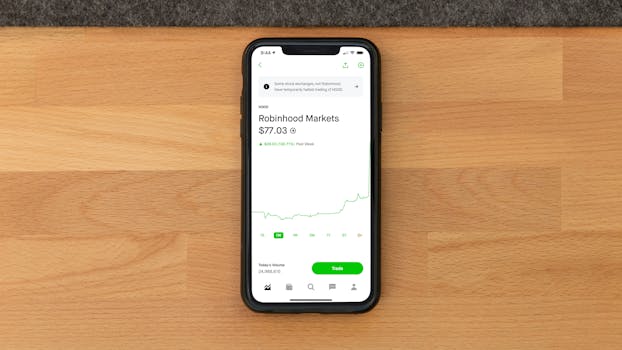 Photo by Andrew Neel on Pexels
This guide speaks directly to you if you're brand new to investing, getting back into it after time away, or tired of your money earning basically nothing in a regular savings account. We tested eight of the most popular beginner-friendly platforms, comparing everything from fees to educational materials to how the mobile app actually works.
What to Actually Look For in a Beginner Stock Trading App
Before we get to the platforms themselves, let's map out what genuinely matters when you're just starting out.
Ease of use wins the day at the beginning. Spending your first three sessions hunting for the "buy" button is a guaranteed way to quit. The apps that win have clean dashboards, clear language, zero jargon traps.
Fees and minimums can quietly destroy your progress. Paying $6.99 per trade when you're investing $50 at a time hurts. Most modern brokers have ditched per-trade commissions for stocks and ETFs, but hidden costs hide everywhere: options fees, wire charges, inactivity fees, and those sneaky spread markups nobody mentions in marketing.
Educational resources separate just-fine apps from genuinely great ones. Video tutorials, glossary tools, paper trading (fake money on real markets) — these turn casual investors into actual ones. Honestly? Most people skip right past this until they've already lost money, and that's the mistake.
Account types matter more than people think early on. Want a Roth IRA? A custodial account for your kid? A joint account? Getting stuck with only basic accounts and then migrating everything later is a headache nobody needs.
 Photo by StockRadars Co., on Pexels
How We Evaluated These Tools
Each platform got tested across five categories: ease of use (onboarding, interface clarity), pricing (commissions, minimums, hidden costs), features (charting tools, order types, what you can invest in), educational content (articles, tutorials, paper trading), and customer support (speed, availability, quality). Both iOS and Android apps went through evaluation. Ratings reflect a weighted score that prioritizes beginner-friendliness.
8-chapter comprehensive budgeting guide with 3 interactive calculators. Stop living paycheck to paycheck.
Quick Comparison Table
| Tool | Best For | Account Minimum | Commissions | Our Rating |
|---|---|---|---|---|
| Robinhood | Zero-friction beginners | $0 | $0 stocks/ETFs | ⭐ 4.2/5 |
| Webull | Intermediate-curious beginners | $0 | $0 stocks/ETFs | ⭐ 4.3/5 |
| Fidelity | Long-term, education-first investors | $0 | $0 stocks/ETFs | ⭐ 4.8/5 |
| Charles Schwab | Full-service beginners | $0 | $0 stocks/ETFs | ⭐ 4.7/5 |
| Stash | Micro-investors & guided investing | $0 | $3/mo (basic) | ⭐ 3.9/5 |
| Acorns | Passive/spare change investors | $0 | $3/mo (personal) | ⭐ 4.0/5 |
| M1 Finance | Automation-focused investors | $0 | $0 (free tier) | ⭐ 4.4/5 |
| SoFi | All-in-one finance beginners | $0 | $0 stocks/ETFs | ⭐ 4.1/5 |
Detailed Reviews: Best Stock Trading Apps for Beginners 2026
#1. Robinhood — Best for Friction-Free First Trades
Robinhood basically forced the entire brokerage world to ditch commission fees, and in 2026 it's still the app most beginners hear about first. The whole thing is built around getting out of your way — open it and you get a simple portfolio view, a search bar, and a buying process that takes maybe 45 seconds from start to finish.
Here's where Robinhood gets complicated though: that simplicity comes with real limitations. You won't find deep research here. The charting tools are basic. Want to buy mutual funds or bonds? You're out of luck. I think Robinhood gets more criticism than it deserves from the finance crowd, but the complaint about thin educational content? That's completely fair — you learn how to buy, not why.
Key Features:
- Commission-free stocks, ETFs, options, and crypto trading
- Fractional shares (start with as little as $1 of any stock)
- Robinhood Gold subscription with margin trading and better research (~$5/month or $50/year)
- Instant deposits up to $1,000
- Basic educational "Learn" section with short articles
- Cash Card with rewards (debit card that earns stock back)
- 24-hour market trading on certain securities
Pricing:
- Standard account: $0/month, $0 commissions
- Robinhood Gold: ~$5/month (adds 4.25% APY on cash, margin access, Level II quotes)
- Options: $0 base commission, $0 per contract (as of 2026)
Pros:
- Genuinely simple to navigate
- No fees to get started
- Fractional shares help you diversify with small amounts
- Most people set up completely within 10 minutes
Cons:
- Thin educational content compared to competitors
- No mutual funds or bonds available
- Customer support has been historically slow (chat only, no phone)
- PFOF model (payment for order flow) is controversial
#2. Webull — Best for Beginners Who Want Real Tools
Webull takes Robinhood's no-fee model and adds the kind of charting tools you actually want to learn with. It's definitely a step up in complexity, but not so much that someone a few weeks into investing would feel lost. Think of it as moving up a gear — you're not sitting in traffic anymore, but you're not going highway speed either.
The paper trading sim deserves real attention here. Webull gives you $1 million in play money using real market data. It's genuinely one of the best free learning tools out there, and — honestly — kind of addictive once you start playing with it. I've watched people spend more time on the simulator than their real portfolio, which isn't the worst way to build confidence before risking actual dollars.
Key Features:
- Commission-free stocks, ETFs, options, and crypto
- Full technical analysis tools (50+ indicators, multiple chart styles)
- Paper trading with real-time market data
- Extended hours trading (4 AM – 8 PM ET)
- Free Level II market data (Nasdaq TotalView) if you're an active user
- Earnings calendars, analyst ratings, short interest info
- IRA accounts (Traditional, Roth, Rollover)
Pricing:
- Standard account: $0/month, $0 commissions
- Options: $0 base, $0 per contract
- Margin: tiered rates starting around 6.99% annually
- New account offers for free stock regularly available
Pros:
- Best free charting tools among beginner apps
- Paper trading is genuinely excellent for practice
- Extended hours access
- Strong social and community features
Cons:
- The interface can feel overwhelming for absolute beginners
- Crypto options are more limited than dedicated crypto platforms
- Educational content is solid but doesn't match Fidelity
#3. Fidelity — Best for Beginners Who Want to Do This Right
If we're being real, Fidelity is about as close to the "right answer" as exists for beginners in 2026. It's where you learn to do things correctly from day one, which pays dividends years later. You won't get a flashy gamified interface, but you get one of finance's most trusted names, zero-fee index funds (Fidelity's ZERO funds have literally 0% expense ratios), and educational materials that genuinely compare to a college-level course.
The main thing holding some beginners back is the "it's for old people" vibe. Wrong. The app has been completely redesigned, supports fractional shares, and the Youth Account for kids 13–17 is one of the better products in this whole space. Honestly, Fidelity might be the most overlooked app on this list — people skip it because it lacks the cool startup story, but the substance behind it is unbeatable.
Key Features:
- Commission-free stocks, ETFs, and options
- Fidelity ZERO index funds (0% expense ratio, no joke)
- Fractional shares ("Stocks by the Slice")
- Top-notch retirement account options (Roth IRA, Traditional IRA, SEP IRA, 401k rollovers)
- Research from 20+ providers including Morningstar, Zacks, and Argus
- Fidelity Youth Account for teen investors
- 24/7 customer service (phone, chat, in-person branches)
- Paper trading on mobile (basic version available)
Pricing:
- Standard account: $0/month, $0 commissions on stocks/ETFs
- Options: $0.65 per contract
- No account minimum
- No fees for inactive accounts
Pros:
- Best educational materials available
- Truly zero-cost index investing (ZERO funds)
- Excellent retirement planning tools
- 24/7 human support — a real advantage most people only appreciate once they need it
- Long-term reliability you can count on
Cons:
- Mobile app isn't as polished as Robinhood or Webull visually
- Options trading does charge per-contract fees
- Can feel overwhelming at first due to all available features
#4. Charles Schwab — Best for Full-Service Beginners
Charles Schwab doesn't try to be trendy, and honestly, it won't send you addictive push notifications. What it does offer is a real end-to-end solution — stocks, ETFs, mutual funds, bonds, futures, options, crypto (through its trust products), banking, and genuinely excellent customer service.
Schwab acquired TD Ameritrade (finishing the migration in 2024), bringing along the thinkorswim platform beloved by traders. That's not beginner software — but it's waiting for you when you grow into it. And you will.
Key Features:
- Commission-free stocks, ETFs, and options (minus per-contract fees)
- Schwab Intelligent Portfolios (robo-advisor, no advisory fee, $5,000 minimum)
- Fractional shares through "Stock Slices" (S&P 500 companies only)
- Strong mutual fund selection
- thinkorswim desktop platform (advanced, for later)
- Schwab Bank integration (checking, high-yield savings)
- 300+ physical branches across the US
- 24/7 customer service (phone and chat)
Pricing:
- Standard account: $0/month, $0 commissions on stocks/ETFs
- Options: $0.65 per contract
- No account minimum
- Schwab Intelligent Portfolios: $0 advisory fee ($5,000 minimum)
- Schwab Intelligent Portfolios Premium: $30/month after one-time $300 planning fee
Pros:
- All-in-one: banking, investing, retirement, robo-advising in one place
- Standout customer service with actual phone support
- Physical locations if you want face-to-face help
- thinkorswim available when you level up
Cons:
- Fractional shares limited to S&P 500 companies
- Interface isn't as stripped-down as Robinhood
- Robo-advisor has a $5,000 minimum
#5. Stash — Best for Guided Micro-Investing
Stash fills a specific spot: it's for people who want to invest but need a guide alongside them. The app asks about your goals, your comfort with risk, your timeline, then suggests themed investments (groups of stocks and ETFs around concepts like "Clean & Green" or "American Innovators").
It's not the cheapest option, and serious investors will outgrow it fast. But for someone who freezes up looking at thousands of ETFs with no framework? Stash might actually be the bridge that gets you investing instead of endlessly planning. We all know someone like this.
Key Features:
- Fractional shares starting at $1
- Themed investing (curated collections of stocks and ETFs)
- Stash banking (FDIC-insured with Stock-Back debit card — earn real stock on purchases)
- Automated investing and recurring contributions
- Basic retirement accounts (Traditional and Roth IRA)
- Beginner-focused educational content
- Custodial accounts for kids (Stash Kids)
Pricing:
- Stash Growth: $3/month — personal investing, retirement account, banking
- Stash+: $9/month — adds 2 custodial accounts, metal debit card, higher Stock-Back rewards
- No commissions on trades
Pros:
- Great guided experience for nervous beginners
- Stock-Back card is actually unique
- $1 minimum to start
- Clean, non-scary interface
Cons:
- Monthly fee becomes painful on small portfolios — $3/month on $100 invested is a brutal 3% annual drag
- Investment options are more limited than full brokerages
- No options, forex, or advanced instruments
- Research tools are pretty basic
#6. Acorns — Best for Passive "Set It and Forget It" Investing
Acorns built its whole business on one clever idea: round up your spare change and invest it automatically. Buy a $3.60 coffee, Acorns rounds it to $4 and invests the $0.40. It sounds tiny, but over time — layered with regular contributions — people who've never invested before suddenly have $1,000 or $5,000 without really thinking about it. The behavioral psychology here is actually brilliant.
But real talk: Acorns isn't for picking stocks. You get allocated into one of five pre-built ETF portfolios (from Conservative to Aggressive) made up of Vanguard and BlackRock funds. This is pure passive investing — perfect for a certain type of beginner.
Key Features:
- Round-Ups for automatic micro-investing
- Five pre-built diversified ETF portfolios
- Recurring contributions (daily, weekly, or monthly)
- Acorns Later (IRA — Traditional, Roth, SEP)
- Acorns Early (custodial UTMA/UGMA accounts for kids)
- Acorns Checking (FDIC-insured, real-time round-ups)
- Found Money — cashback invested through partner brands
Pricing:
- Personal: $3/month — individual investing + IRA + checking
- Personal Plus: $6/month — adds emergency fund, better earn rates
- Premium: $12/month — adds Acorns Early, GoHenry debit card for kids, live Q&As
Pros:
- Genuinely effortless — investing happens invisibly
- Perfect for people who struggle to save
- Quality ETF portfolios built on Vanguard and BlackRock
- Zero portfolio decisions required
Cons:
- $3/month stings on small balances — under $1,200 invested means you're paying 0.3%+ annually in fees alone
- No individual stock picking at all
- Limited control over what you own
- You'll probably outgrow it as your knowledge grows
#7. M1 Finance — Best for Automation-Focused Beginners
M1 Finance is the most interesting idea on this whole list, and I think it's seriously underrated. The core is "Pies" — you build a portfolio like a pie chart (40% stocks, 30% ETFs, 30% bonds, etc.), and M1 automatically rebalances and reinvests dividends to maintain those percentages. It's like a DIY robo-advisor. You decide what to own; the platform handles the grunt work.
For someone wanting real control but without quarterly rebalancing headaches, M1 hits that perfect middle ground. It's also one of the few platforms that automatically handles fractional shares for essentially any stock as part of its Pies system.
Key Features:
- "Pie" portfolio system with automatic rebalancing
- Fractional shares across all stocks and ETFs
- Commission-free trading (no per-trade costs)
- M1 Borrow (portfolio credit line at competitive rates, roughly 2–3.5% for Plus members)
- M1 Spend (checking with 1% cashback)
- Retirement accounts (Traditional, Roth, SEP IRA)
- Expert Pies (pre-built portfolios you can copy and tweak)
- Tax-conscious selling strategy
Pricing:
- M1 Basic: $0/month — full access to core features
- M1 Premium: ~$3/month (billed yearly) — higher cash APY, lower borrow rates, afternoon trading windows, smart transfers
- No commissions
- $100 minimum to start ($500 for IRAs)
Pros:
- Automatic rebalancing is genuinely useful as your portfolio grows
- Flexible for both simple and complex strategies
- M1 Borrow is unique and useful
- Expert Pies give beginners a solid starting point
Cons:
- One trading window per day on Basic tier — not for active traders
- $100 minimum is higher than some competitors
- No options, no crypto on the investment side
- Not built for day trading or momentum strategies
#8. SoFi — Best for Beginners Who Want an All-in-One Financial Home
SoFi started in student loan refinancing and quietly became one of the most complete personal finance apps available. The investing side works well — commission-free stocks and ETFs, fractional shares from $5, IPO access (rare for retail investors — most never get IPO pricing), and a built-in robo-advisor with no advisory fee. But the real appeal is how investing sits alongside high-yield savings, personal loans, mortgages, and insurance.
If having everything in one place appeals to you — one login, one app, one complete view of your finances — SoFi is genuinely attractive. It's not the deepest investing platform here, but it's easily the most integrated.
Key Features:
- Commission-free stocks, ETFs, and crypto (70+ coins)
- Fractional shares from $5
- SoFi Automated Investing (robo-advisor, $1 minimum, no advisory fee)
- IPO investing access for retail
- Retirement accounts (Traditional and Roth IRA)
- SoFi Money (high-yield checking + savings, 4%+ APY on savings)
- Free CFP financial planner access (included with membership — worth hundreds annually if you'd otherwise pay separately)
- Member perks: career coaching, loan discounts, event access
Pricing:
- Standard brokerage: $0/month, $0 commissions
- SoFi Automated Investing: $0 advisory fee
- No brokerage minimum
- $1 minimum for automated investing
- SoFi membership: free
Pros:
- Truly integrated ecosystem — banking and investing work together
- Free CFP access is rare and genuinely valuable
- IPO participation stands out
- Robo-advisor with zero advisory fee
Cons:
- Investment research tools are thinner than Fidelity or Schwab
- Customer support can be hit or miss
- Crypto selection is narrower than crypto-dedicated platforms
- Robo-advisor portfolios are fairly basic in design
 Photo by StockRadars Co., on Pexels
Detailed Feature Comparison Matrix
| Feature | Robinhood | Webull | Fidelity | Schwab | Stash | Acorns | M1 Finance | SoFi |
|---|---|---|---|---|---|---|---|---|
| Account Minimum | $0 | $0 | $0 | $0 | $0 | $0 | $100 | $0 |
| Commission (stocks) | $0 | $0 | $0 | $0 | $0 | $0 | $0 | $0 |
| Fractional Shares | ✅ | ✅ | ✅ | ✅ (S&P 500) | ✅ | ✅ | ✅ | ✅ |
| Options Trading | ✅ | ✅ | ✅ | ✅ | ❌ | ❌ | ❌ | ❌ |
| Crypto | ✅ | ✅ | Limited | Limited | ❌ | ❌ | ❌ | ✅ |
| Robo-Advisor | ❌ | ❌ | ✅ | ✅ | Partial | ✅ | ✅ (Pies) | ✅ |
| Retirement Accounts | ✅ | ✅ | ✅ | ✅ | ✅ | ✅ | ✅ | ✅ |
| Paper Trading | ❌ | ✅ | Limited | ✅ | ❌ | ❌ | ❌ | ❌ |
| Educational Content | Basic | Good | Excellent | Excellent | Good | Good | Moderate | Good |
| Phone Support | ❌ | ❌ | ✅ (24/7) | ✅ (24/7) | Limited | Limited | Chat only | ✅ |
| Physical Branches | ❌ | ❌ | ✅ | ✅ | ❌ | ❌ | ❌ | ❌ |
| Auto-Rebalancing | ❌ | ❌ | ✅ | ✅ | Partial | ✅ | ✅ | ✅ |
| Banking Integration | ✅ | ❌ | ✅ | ✅ | ✅ | ✅ | ✅ | ✅ |
How to Actually Choose the Right App for Your Situation
Most comparison articles stop here with "it depends" and call it a day. Let's actually figure this out together.
You've got under $500 and want to start now. Use Robinhood or SoFi. Both have zero minimums, zero commissions, and you'll own real fractional shares within 15 minutes. Don't let perfect be the enemy of started.
You want purely passive investing without any decisions. Acorns if you want total autopilot where the platform picks everything. M1 Finance if you want autopilot with your own design. The difference: Acorns controls your portfolio, M1 lets you build it.
You're serious about learning how markets work. Combine Webull's paper trading with Fidelity's educational library — yes, use both platforms if you want. But if you're picking just one, Fidelity wins. The Learning Center is genuinely solid education, not marketing wrapped up as learning.
You're young and plan to stick with one platform long-term. Start with Fidelity or Schwab. The platforms you use at 22 shape your investing habits for decades. Neither will limit you as you grow, both have the retirement accounts you'll eventually need, and both have actual phone support when things go wrong. And they will, at some point.
You want absolutely everything in one place. SoFi. It's the only platform here that combines checking, savings, investing, retirement, loans, and financial planning without making any piece feel rushed.
Cost is your main concern. Fidelity's ZERO funds win here. Zero management fees, zero commissions, zero minimum. That's unbeatable. Word of caution: Acorns and Stash, despite their beginner appeal, can actually cost more than a full brokerage for small accounts because of flat monthly fees. A $3/month fee on $500 invested is 7.2% annual cost before you've even invested.
Verdict: Top Picks by Beginner Type
Let's be straight up: no single app is universally "best" for every beginner. But clear winners exist by category.
🏆 Best Overall for Beginners: Fidelity — The education, the zero-fee index funds, 24/7 support, and long-term viability make it the most complete package for anyone wanting to build real wealth. It's not flashy, but flashy gets overrated.
🥈 Best for Absolute Newcomers Who Just Want to Start: Robinhood — Nothing gets you from thinking about it to actually invested faster. Just know its limits as you grow.
🥉 Best for Learning While Doing: Webull — The paper trading feature alone earns this. Practice with $1 million in fake money on real markets before risking real dollars.
🤖 Best for Passive Investors: M1 Finance — The Pie system plus automatic rebalancing is the strongest DIY-autopilot combo available.
🏦 Best for Full-Service Everything: Charles Schwab — Physical branches, thinkorswim, 24/7 phone support, banking. It's the platform with answers for future questions you haven't thought of yet.
💰 Best for Micro-Investors: Acorns — If saving is genuinely hard for you, the round-up system actually works. Sometimes behavioral design is exactly what you need to get started.
You Might Also Like
FAQ: Best Stock Trading Apps for Beginners 2026
Q: What's the safest stock trading app for a beginner?
All eight apps here are FINRA-regulated and SIPC-insured up to $500,000 ($250,000 in cash). Protection is basically the same across all of them. For safety in terms of avoiding costly beginner mistakes, Fidelity and Schwab's guardrails and educational resources create the best learning environment without the gamified pushes toward risky behavior.
Q: Can I really start investing with $1?
Yep. Robinhood, Stash, and Acorns all allow fractional share purchases from $1, and SoFi's robo-advisor starts at $1. The days of needing hundreds for a single share of Amazon or Google are long gone.
Q: Are commission-free apps really free? Where's the catch?
Here's the deal — most make money through PFOF (payment for order flow). They route your trades through market makers who pay them, and you may get slightly worse execution prices. It's not huge for buy-and-hold investors. Fidelity largely moved away from PFOF on stocks and consistently gets high execution marks, which is part of why it ranks so highly here.
Q: Should I use a robo-advisor or pick my own stocks as a beginner?
Robo-advisors outperform most first-year stock pickers — that's documented. Starting with a robo-advisor (Acorns, SoFi Automated, Schwab Intelligent Portfolios, M1 Finance Expert Pies) while you learn makes real sense. You can always move to self-directed investing once you understand what you're doing.
Q: What's the difference between a brokerage account and an IRA?
A brokerage account is regular taxable investing — pull money out anytime, but pay taxes on gains. An IRA has tax advantages: Traditional IRA gives you a deduction now, Roth grows tax-free and retirement withdrawals are tax-free too. If you're investing long-term and have earned income, a Roth IRA should come first. The tax-free compounding over 20–30 years genuinely adds up to tens of thousands of dollars.
Q: Is it too late to start investing in 2026?
This question comes up constantly, and the answer stays the same: the best time was yesterday, the second-best time is right now. Markets have rewarded patient, long-term investors through recessions, crashes, and everything else. The real cost of waiting isn't market risk. It's the missed compound growth that quietly disappears while you're still thinking about it. Start imperfectly today and adjust as you learn.