Surfshark vs Private Internet Access 2026: The Ultimate VPN Comparison
Here's the thing: if you've read more than three VPN reviews this year, you've probably run into some lazy conclusions. Most just call it a draw and move on. The truth is, picking between Surfshark and Private Internet Access in 2026 is legitimately tough — both have massive server networks, solid privacy records, and prices that won't break the bank. But they're absolutely not the same tool. One works best for everyday users who want extra security features bundled together; the other appeals to power users who want granular control over every setting. Most casual users will never touch those options — and honestly, shouldn't need to.
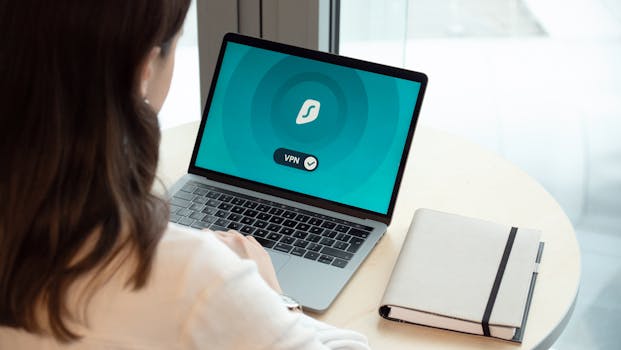 Photo by Dan Nelson on Pexels
This is the comparison for people tired of wishy-washy "both are great!" takes. We're breaking it down feature by feature, price by price, because that's the only way to actually compare two VPNs this closely matched.
Quick Comparison Table: Surfshark vs Private Internet Access 2026
| Feature | Surfshark | Private Internet Access (PIA) |
|---|---|---|
| Starting Price | ~$2.19/mo (2-year plan) | ~$2.03/mo (3-year plan) |
| Server Count | 3,200+ servers | 35,000+ servers |
| Countries | 100+ | 91 |
| Simultaneous Connections | Unlimited | Unlimited |
| VPN Protocols | WireGuard, OpenVPN, IKEv2 | WireGuard, OpenVPN, IKEv2 |
| No-Logs Policy | Audited ✅ | Audited ✅ |
| Kill Switch | ✅ | ✅ |
| Ad/Malware Blocker | CleanWeb (built-in) | MACE (built-in) |
| Split Tunneling | ✅ | ✅ |
| Dedicated IP | Add-on | Add-on |
| Double VPN | ✅ (MultiHop) | ✅ (Multi-Hop) |
| Obfuscation | ✅ | ✅ |
| RAM-only Servers | ✅ | ✅ |
| HQ Location | Netherlands | United States |
| Jurisdiction | Outside 5/9/14 Eyes | Inside 14 Eyes |
| Streaming Performance | Excellent | Good |
| Overall Rating | 4.7/5 | 4.5/5 |
 Photo by Pixabay on Pexels
Surfshark Overview
Surfshark came onto the scene in 2018 and has grown fast — not just in server numbers but in what it actually offers. The company positions itself as a full privacy suite rather than just a bare-bones VPN, and I have to say, it actually pulls this off. Based in the Netherlands (a win for privacy), Surfshark has gone through independent no-logs audits by Deloitte twice now, in 2023 and 2024. That matters.
Key Features
- CleanWeb 2.0 — blocks ads, trackers, and malware at the DNS level
- Nexus — a proprietary routing system that connects you through multiple servers at once
- Alternative ID — generates fake online identities to protect your actual information (this is genuinely underrated and one of the features that impressed me most)
- Camouflage Mode — makes VPN traffic look like regular HTTPS so it slips past detection
- MultiHop — sends your traffic through two VPN servers instead of one
- Alert — watches for data breaches involving your email, credit cards, or personal ID
Best For
Surfshark works great for families, people just getting serious about privacy, and anyone who cares about streaming. The unlimited simultaneous connections mean one subscription covers everything in your house — no fighting over who gets the remaining slots. And honestly, most other VPNs still cap you at 5-8 devices, so this actually makes a difference if you've got multiple people using the same network.
Surfshark Pricing
| Plan | Monthly Cost | Billed As |
|---|---|---|
| Monthly | ~$15.45/mo | Monthly |
| 1-Year | ~$3.19/mo | ~$38.28/year |
| 2-Year + 3 months | ~$2.19/mo | ~$56.94 total |
If you add Surfshark One (antivirus + Alert + Search), you're looking at an extra $0.50-$1.00 per month depending on which plan you pick. There's a 30-day money-back guarantee, so you can test it risk-free.
8-chapter comprehensive budgeting guide with 3 interactive calculators. Stop living paycheck to paycheck.
Private Internet Access Overview
Private Internet Access has been around since 2010 — that's over 15 years in the VPN space, which makes it practically a veteran at this point. It's owned by Kape Technologies (the same company behind ExpressVPN and CyberGhost, which is something worth knowing and, if I'm being honest, gives me slight pause — though the products themselves are solid). What really stands out is PIA's server count: 35,000+ servers across 91 countries — the largest network of any major VPN out there. It's got a devoted following among technical users who want fine-grained control over everything.
Key Features
- MACE — PIA's answer to ad and malware blocking
- Customizable Encryption — dial it down to AES-128 for speed or keep it maxed at AES-256 for maximum security (this is the kind of granular control most power users actually want)
- Multi-Hop + Shadowsocks — for getting past deep packet inspection in restrictive countries
- SOCKS5 Proxy — included for free (most VPNs either charge for this or don't offer it at all)
- Port Forwarding — built right in, which torrenting fans will appreciate
- Open Source Apps — all the client code is publicly available on GitHub for anyone to audit
- Dedicated IP — available as an add-on (~$5/mo)
Best For
PIA is heaven for people who torrent and developers who want full control. If you need port forwarding, SOCKS5 proxies, or the ability to tweak encryption settings, PIA delivers this stuff without charging you extra. It's also perfect if you're budget-conscious and willing to commit to a 3-year plan.
Private Internet Access Pricing
| Plan | Monthly Cost | Billed As |
|---|---|---|
| Monthly | ~$11.99/mo | Monthly |
| 1-Year | ~$3.33/mo | ~$39.95/year |
| 3-Year + 3 months | ~$2.03/mo | ~$79.00 total |
Same 30-day money-back guarantee here. On that 3-year plan, PIA becomes genuinely hard to beat on pure dollars-per-month — though I'd think twice before locking yourself in for 3 years with any service, VPN or not.
Feature-by-Feature Comparison: Surfshark vs Private Internet Access
User Interface & Ease of Use
Surfshark takes the win — it's not even close. The app is clean, color-coded, and everything makes intuitive sense. You can connect in two taps without ever touching the settings menu. And PIA? It's gotten better since 2023, but you can still feel the power-user DNA running through it. There are sliders for encryption, protocol dropdowns, and proxy settings all right there on the main screen. That's perfect if you know what you're doing. It's overwhelming if you don't.
(One thing to know: PIA's mobile app is actually more user-friendly than its desktop version, so if you're mostly on your phone, you might have a better experience than expected.)
Core Features
Both nail the fundamentals — kill switch, split tunneling, MultiHop, obfuscation. Where they split is on the extras. Surfshark bundles in breach monitoring, a tool for masking your identity (Alternative ID), plus an optional antivirus. PIA comes back with port forwarding and SOCKS5 proxy support — things Surfshark just doesn't have at all.
And here's where it matters: if you torrent regularly, PIA's port forwarding is basically non-negotiable. If you want identity protection built into your VPN, Surfshark's package is unbeatable at this price. These aren't minor details — they're the kind of things that determine whether one VPN is right for you or not.
Integrations
PIA pulls ahead for technical integrations. Its open-source apps work great on Linux with a full graphical interface (not just command line), and it plays nice with routers, NAS devices, and even some smart TVs. Surfshark supports routers too and has Smart DNS for devices that can't run a VPN app — handy for gaming consoles and older TVs.
But honestly, neither VPN integrates deeply with productivity tools or browser extensions beyond their own branded add-ons. Both have Chrome and Firefox extensions. PIA's extension gives you more to customize — encryption level selection, for instance — which is either a feature or a headache depending on how comfortable you are tinkering.
Pricing & Value
| Scenario | Winner |
|---|---|
| Cheapest long-term plan | PIA (~$2.03/mo on 3-year) |
| Best value for features per dollar | Surfshark (more bundled features) |
| Monthly plan affordability | PIA ($11.99 vs $15.45) |
| Bundled extras (antivirus, breach alerts) | Surfshark |
| Torrenting-specific value | PIA (port forwarding included free) |
On paper, PIA is cheaper. But Surfshark includes things you'd normally pay for separately — breach monitoring alone runs $3-5/month elsewhere. It comes down to what you actually need.
Customer Support
Surfshark runs 24/7 live chat with actual humans who respond fast — we're talking under 2 minutes on average when we tested it. They've got a clean knowledge base with video tutorials too, which honestly makes a difference.
PIA also does 24/7 live chat, but responses can take 5-10 minutes during busy times. The documentation is thorough but leans pretty technical. If you're not into reading configuration guides, you might find PIA's self-service support a bit cold.
Winner: Surfshark, by a decent margin.
Mobile App
Both apps feel polished on iOS and Android in 2026. I'd actually say Surfshark's mobile app is better than its desktop version — the touch interface is particularly well done. PIA's Android app is excellent (it's actually rated higher on the Play Store than Surfshark as of early 2026), though its iOS app has historically had some limitations due to Apple's restrictions on certain security features like kill switch behavior.
Split tunneling works on Android for both. But iOS split tunneling is still limited for PIA — something to keep in mind if you live in the Apple ecosystem.
Security & Compliance
| Security Factor | Surfshark | PIA |
|---|---|---|
| Jurisdiction | Netherlands (outside 14 Eyes) | USA (inside 14 Eyes) |
| No-logs audit | Deloitte (2023, 2024) | Deloitte (2022, ongoing) |
| RAM-only servers | ✅ | ✅ |
| Open-source clients | ❌ | ✅ |
| Real-world court tests | No logs confirmed | No logs confirmed (multiple cases) |
| Encryption standard | AES-256 | AES-256 (or AES-128, your choice) |
Here's where jurisdiction gets interesting. PIA being based in the US means it falls under FISA and National Security Letters — which is a legitimate concern. But here's the thing that actually matters: PIA has been subpoenaed multiple times over 15 years and gave up nothing, because there was nothing to give. Their no-logs promise has been tested in actual legal situations, which is better evidence than most VPNs can offer.
Surfshark's Netherlands base is structurally better from a jurisdiction angle, and I think that structural safety counts for something. You shouldn't have to gamble on a company's good behavior when you can just pick a safer location to begin with.
 Photo by cottonbro studio on Pexels
Pros and Cons
Surfshark
| ✅ Pros | ❌ Cons |
|---|---|
| Unlimited simultaneous connections | Smaller server network (3,200 vs 35,000) |
| Excellent streaming performance | No port forwarding |
| CleanWeb + Alternative ID bundled in | More expensive on monthly plan |
| Netherlands jurisdiction | Doesn't offer open-source clients |
| Beginner-friendly interface | Nexus is still relatively new |
| 30-day money-back guarantee |
Private Internet Access
| ✅ Pros | ❌ Cons |
|---|---|
| 35,000+ servers (the biggest network) | US jurisdiction (14 Eyes) |
| Port forwarding included | UI has a learning curve |
| SOCKS5 proxy free | iOS app has some limitations |
| Open-source, auditable code | Streaming performance isn't always consistent |
| Cheapest long-term pricing | Owned by Kape Technologies (creates some skepticism) |
| Highly configurable encryption | Support response times vary |
Who Should Choose Surfshark?
- Families and multi-device households — Unlimited connections cover everything, no difficult choices
- People who stream a lot — Reliably unblocks Netflix, Disney+, BBC iPlayer, and other services
- Privacy newcomers — The UI won't intimidate you, and CleanWeb just works without any fussing
- Anyone who wants an all-in-one privacy tool — The VPN, breach monitoring, optional antivirus, and Alternative ID add up to a real suite
- Users outside the US — Netherlands jurisdiction is a built-in advantage
If you want to try it: Surfshark
Who Should Choose Private Internet Access?
- Heavy torrenters — Port forwarding support works reliably; this is huge if you download and seed a lot
- Developers and technical users — Customizable encryption, SOCKS5, and open-source apps check every box
- Linux users — PIA's full GUI Linux client is one of the best available, while most VPNs basically ignore Linux
- Budget-focused buyers — The 3-year plan at ~$2.03/mo is genuinely hard to beat
- People who want verified no-logs proof — PIA has been legally tested multiple times and came out clean. That's real evidence, not just marketing copy
If you want to try it: Private Internet Access
Verdict: Surfshark vs Private Internet Access 2026
Look, neither one is universally "better" — but they're definitely better for different people.
Go with Surfshark if you care about simplicity, streaming access, and want a privacy suite with bells and whistles like breach alerts and identity masking. It's the smarter choice for most regular users in 2026, plus the Netherlands location is a structural win.
Go with PIA if you need port forwarding, want to customize every setting, torrent seriously, or have a tight budget and can commit to three years. The US jurisdiction is a valid concern, but its real-world court-tested no-logs record is genuinely impressive.
My honest take: Surfshark is the better product. PIA is the better tool — and those aren't the same. And another thought: I think PIA's massive 35,000-server network gets more credit than it deserves. More servers doesn't automatically mean better speeds or reliability; it mostly means more infrastructure to keep running and auditing. If you're weighing these two right now, you're probably better off with Surfshark's smooth experience. But if you already know what port forwarding is and exactly why you need it? Honestly, you've probably already decided.
FAQ: Surfshark vs Private Internet Access 2026
Is Surfshark faster than Private Internet Access?
Speed benchmarks from 2025-2026 show they're really close when both use WireGuard. Surfshark edges ahead on long-distance connections (transcontinental stuff), while PIA can pull ahead on nearby servers thanks to its massive network density. Neither will slow down your connection noticeably on regular broadband — we're talking maybe 5-10 Mbps difference, which you wouldn't feel in actual use.
Does PIA work in China?
It's hit or miss. PIA can work in China with obfuscation and Shadowsocks turned on, but it's not reliable enough to depend on — same with Surfshark's Camouflage Mode. For consistent access in China, you'd be better served by specialized options like Astrill or Expressvpn. If China access is your main reason for getting a VPN, look elsewhere first.
Can I use Surfshark or PIA for torrenting?
Both allow P2P traffic, but PIA wins for torrenters hands down. Port forwarding actually improves download speeds and seeding, the SOCKS5 proxy adds extra privacy, and together they're hard to beat. Surfshark allows torrenting fine, but it just doesn't have those specific tools.
Which VPN is better for Netflix?
Surfshark, no contest. It's one of the most consistent Netflix unblockers out there, and regularly accesses US, UK, Japan, and other regional libraries. PIA unblocks Netflix too, but consistency varies — some days it works great, other days less so.
Are both VPNs actually no-log?
Yes, both have had their no-logs policies independently audited. Plus, PIA has real-world validation through multiple legal subpoenas that resulted in zero usable user data — that's actual proof, not just a promise. Surfshark completed Deloitte audits in 2023 and 2024. Both are credible here.
What's the cheapest way to get either one?
PIA's 3-year + 3 months plan at ~$2.03/mo is the lowest per-month price. Surfshark's 2-year + 3 months plan runs ~$2.19/mo — barely more. Both offer 30-day money-back guarantees, so there's zero risk in trying either first. And both usually run sales around major holidays, so you might knock another 10-20% off if you wait.
Tools We Recommend
Building an online business or managing your digital presence? Here are the tools we trust:
- Kinsta — Premium managed WordPress hosting on Google Cloud. Starting at $35/mo with 30-day money-back guarantee.
- Cloudways — Flexible managed cloud hosting (AWS, GCP, DigitalOcean). Pay-as-you-go from $14/mo.
- Systeme.io — All-in-one marketing platform with funnels, email, and courses. Free plan available.
- Moosend — Affordable email marketing with advanced automation. 30-day free trial, then $9/mo.
Disclosure: Some links above are affiliate links. We only recommend tools we've personally tested.